When was the last time you actually thought about your intruder alarm?
For most people, the answer is probably when it was installed, when it last went off or when it made a noise it wasn't supposed to!
A good alarm system should sit quietly in the background protecting your home or business without you having to think about it every day, but that doesn't mean it should be installed and then forgotten about.
We talk a lot about how clever security technology has become. You can control alarms from your phone, receive notifications when you're away from home and manage different users all from your smart phone.
However, keeping all of that technology working as it should often comes down to regular maintenance and we really can’t stress enough how important that is.
So, in this blog, we’re sharing some of the things we look out for when it comes to keeping your alarm working properly. There are a few simple checks you can do yourself, but we always recommend having your alarm professionally serviced at least once a year. It means the whole system can be properly checked, tested and cleaned, including the things that aren't always obvious until you know what you're looking for.
And sometimes that really does mean removing cobwebs!
Let's Talk About Spiders...
It might not be the first thing you'd associate with security system maintenance, but spiders and insects are something we regularly come across when servicing systems.
Alarm detectors are usually left undisturbed for long periods of time, which unfortunately can make them quite appealing places for spiders to set up home. Cobwebs, dust and insects can build up around detectors and potentially contribute to false alarms or interfere with them doing their job properly.
Spiders also seem to be fond of CCTV cameras too! Webs across or close to a camera can obscure the view, and at night they can cause even more problems. The camera's infrared light can reflect back off the web, affecting the image and potentially making your footage much less useful. In some cases, a well-placed web can simply block part of the camera's view altogether.
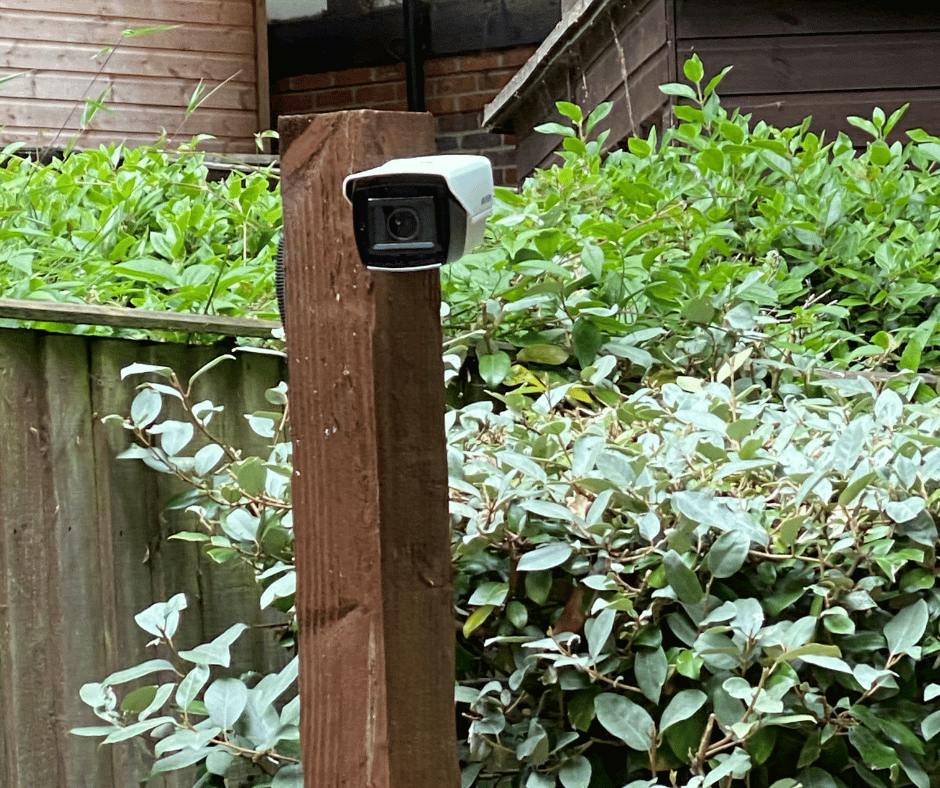
So, one of the less glamorous parts of being a security engineer is getting up there and giving everything a proper clean.
During a service, we'll physically check and clean detectors and cameras rather than simply looking at a panel or screen and assuming everything is fine. We can also use specialist spider treatment around appropriate areas to help discourage our eight-legged friends from returning so quickly.
It's a small thing, but security maintenance is often about spotting the small things before they become a bigger problem.
It's What You Can't See That Matters Too
Your alarm can look absolutely fine from the outside.
The keypad is on. There aren't any obvious warning lights. You've set it a few times recently and nothing unusual has happened.
But there could be more happening behind the scenes than you might realise.
Alarm systems contain batteries, sensors, contacts and other bits and pieces that can deteriorate or develop faults over time. Backup batteries are particularly important because they're there to keep your system operating if the mains power is interrupted.
You don't want to discover that your backup battery has reached the end of its life during an actual power cut.
A service gives us an opportunity to properly test the system, check the condition of its components and look for anything that might need attention.
Smart Alarms Still Need Checking
Security technology has changed in a big way…
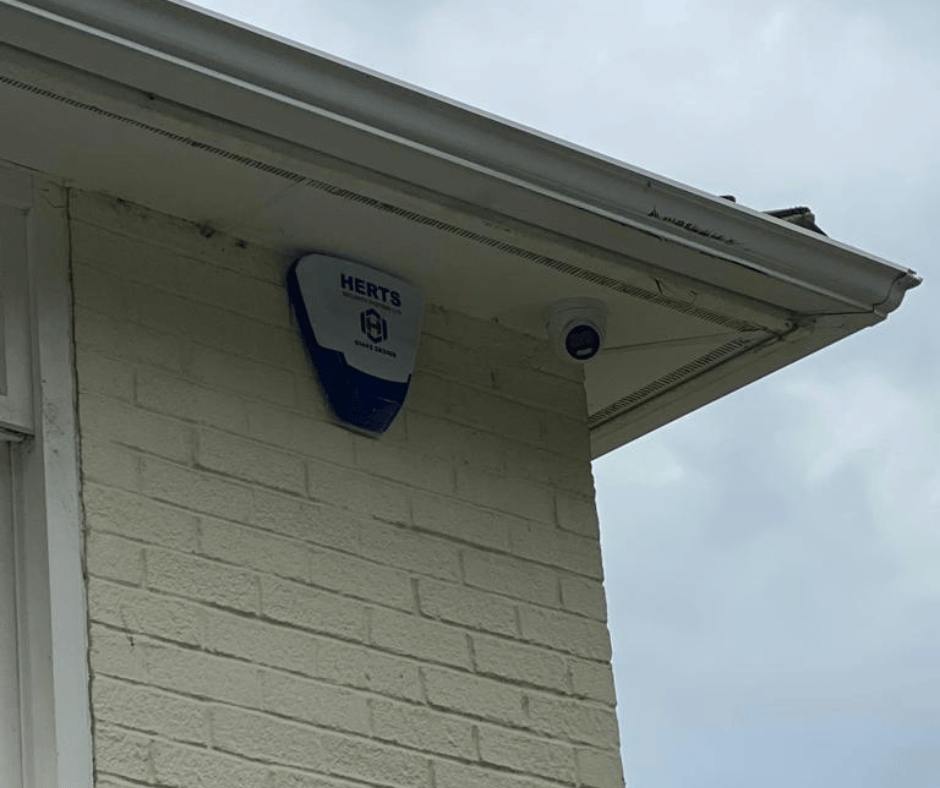
Many of the alarm systems we work with today allow you to control your security from your phone, receive instant alerts and notifications, manage individual users and keep an eye on what's happening even when you're nowhere near your property.
It's brilliant technology and it can make managing your security much more straightforward.
But having a smart alarm doesn't mean maintenance has become unnecessary.
Behind the app, there are still physical detectors around your property. There are still batteries. There are still door and window contacts. There are still connections that need to work properly.
Are notifications still reaching the right people?
Is the app communicating correctly?
Are there old users who no longer need access?
Is everything configured in the way you actually need it now?
Technology has got smarter but the basics are still important.
"My Alarm Is Working Fine..."
This is probably one of the most understandable reasons people put off having their alarm serviced.
If nothing appears to be wrong so why arrange someone to come out and look at it?
Servicing isn't really about waiting until something breaks, It's about checking everything while it is working.
Think of it like having your boiler or car serviced / MOT. You don't wait until either stops completely before having someone take a look.
Your alarm is there for the moments when you really need it so regular servicing gives us an opportunity to spot smaller issues before they potentially become bigger ones.
It might be a battery that's approaching the end of its life.
A detector that needs cleaning.
A door contact that's become unreliable.
An intermittent fault you've barely noticed.
Or an app notification that's no longer going where you thought it was.
This may not mean you need a whole new system, sometimes you simply need someone who knows what they're looking at to put them right.
What Do Herts Security Systems Actually Do When We Service Your Alarm?
There's more to it than turning up, pressing a couple of buttons and giving you a thumbs up.
We will test the system and its detectors, inspect the equipment, check batteries and power supplies, look for faults and make sure everything is communicating as it should.
We’ll clean where needed (spiders, we're coming for you), check the physical condition of the equipment and make sure the system is still doing what you need it to do.
A maintenance visit isn't an excuse for us to find something new to sell you.
If your existing alarm is working well and still suits your property, brilliant. We'll help you keep it that way.
If something needs replacing or adjusting, we'll explain why, and if you've got an older alarm that's still perfectly capable of doing its job, we're not going to tell you to rip it out simply because there's a newer model available.
Has Anything Changed Since Your Alarm Was Installed?
This is another thing that's easily overlooked. Your alarm might not have changed, but your home or business probably has.
Perhaps you've had an extension built, changed your doors or windows, added a garden office or started keeping more valuable equipment somewhere that wasn't previously protected.
Maybe you've got a new pet. Your children are older and coming and going independently. Staff have changed at your business. Or the way you enter and leave the property is completely different from when the system was first installed.
These are all things worth mentioning during a service because your systems might just need adapting slightly so it continues to suit the way you actually use the property.
The Hardest Part? Remembering to Get It Done
Alarm maintenance isn't exactly the most exciting thing on anyone's to-do list.
It's very easy to think, "We'll get that booked in soon," and suddenly another year has disappeared and that's one of the reasons ongoing maintenance can be useful.
Rather than waiting for something to go wrong or trying to remember when your system was last checked, regular maintenance means it simply gets looked after.
Someone who understands alarm systems is keeping an eye on the things you're unlikely to notice yourself, and smaller issues have a chance to be picked up before they become inconvenient ones.
Whether we're checking the latest smart technology, replacing a tired battery or evicting spiders, regular servicing helps make sure your alarm continues doing the job you installed it for in the first place.
If you can't remember the last time your alarm was serviced, or you'd like to talk to us about ongoing alarm maintenance, get in touch with Herts Security Systems. We're always happy to take a look, explain what your system needs and, importantly, tell you when it doesn't need anything at all